

Many brands plan strategies for return on investment yet neglect one of the most valuable elements: landing page design. Stating that a dedicated page affects conversions now feels almost clichéd.
Even among brands that do plan dedicated landing pages, I have noticed that optimisations supporting conversion are often overlooked.
Landing page optimisation is neither quick nor easy. There are countless things to test and investigate, and most will not deliver a major conversion-rate improvement.
A recommendation followed by negative remarks—what is the point?
Some work is done simply so people can say it was done. If we are marking tasks complete, they should be steps that produce a positive, useful effect.
Small improvements that lead to sustainable conversion gains can have a large impact.
With so much to consider, what should you improve?
Landing Page Optimisation Tips
I cannot claim that these rules will definitely improve conversion. No recommendation fits every situation. The best optimisations come from tests based on your own data.
Use these steps as a starting point and adapt the findings to your business. Not every suggestion will fit every brand, but putting them into practice should not harm the website.
Page Design
1. Design for Mobile
Mobile traffic was estimated to account for 80% of all internet traffic in 2019. More searches happen on mobile and social networks are accessed primarily through mobile devices. Design for mobile first.
Even if most conversions occur on desktop, the buying journey spans devices and touchpoints. Content must not be designed for a single screen: it needs to work everywhere.
2. Reduce Page Weight as Much as Possible
Page “weight” is its data size. Heavier pages take longer to load. Analysis found that 53% of mobile visitors abandon a page taking more than three seconds. This shows why reducing weight matters.
3. Establish the Right Message and Consistency
Branding and design should remain consistent throughout the campaign. If the page's colours, images or other brand elements do not reflect the ad, users become confused immediately. People are cautious about advertisers and may look for reasons not to trust a brand. Your post-click page should therefore repeat the ad's elements and fulfil its promises.
4. Remove Navigation and the Footer
A useful post-click page keeps visitors focused on conversion. Busy navigation and footer links distract by taking people elsewhere. If your goal is attention to this offer and conversion, remove those distractions.
5. Add a Privacy Policy
Privacy policies explain what you will do with visitors' information. GDPR provides a legal framework for monitoring and controlling data. A policy creates transparency and confidence.
You might explain, for example, that cookies personalise content and advertising around visitors' interests.
6. Check Your Copyright Information
Keep copyright details current. It is a small signal of attention to detail. Outdated information looks careless and raises questions about the page's validity.
If a website says Copyright 2010, is everything else up to date?
7. Maintain a 1:1 Conversion Ratio
This ratio compares page links with conversion goals. A post-click page should have one link and one destination visitors can click to leave: the call-to-action button. If you use a second CTA, it should serve the same purpose. Define one goal per page.
8. Optimise for Scrolling
Visitors are unlikely to read every word. They are here to evaluate the offer and will more likely scan. They often focus first on the headline or prominent image, then scan subheadings, bullet points and highlighted passages.
Place persuasive information in each format. Your Unique Selling Proposition belongs in the headline. Present benefits as bullets and use a large, relevant visual near the top.
9. Increase Page Length
New, expensive or complex offers need more persuasion: testimonials, media, articles and material building transparency and credibility. Provide what visitors need to trust the offer.
Or:
10. Reduce Page Length
A free e-book does not require a long page. Low risk means less persuasion is needed to claim it. An unnecessarily long page can confuse visitors. Simplify low-risk offers.
Headlines
11. Match Campaign Messages to the Page
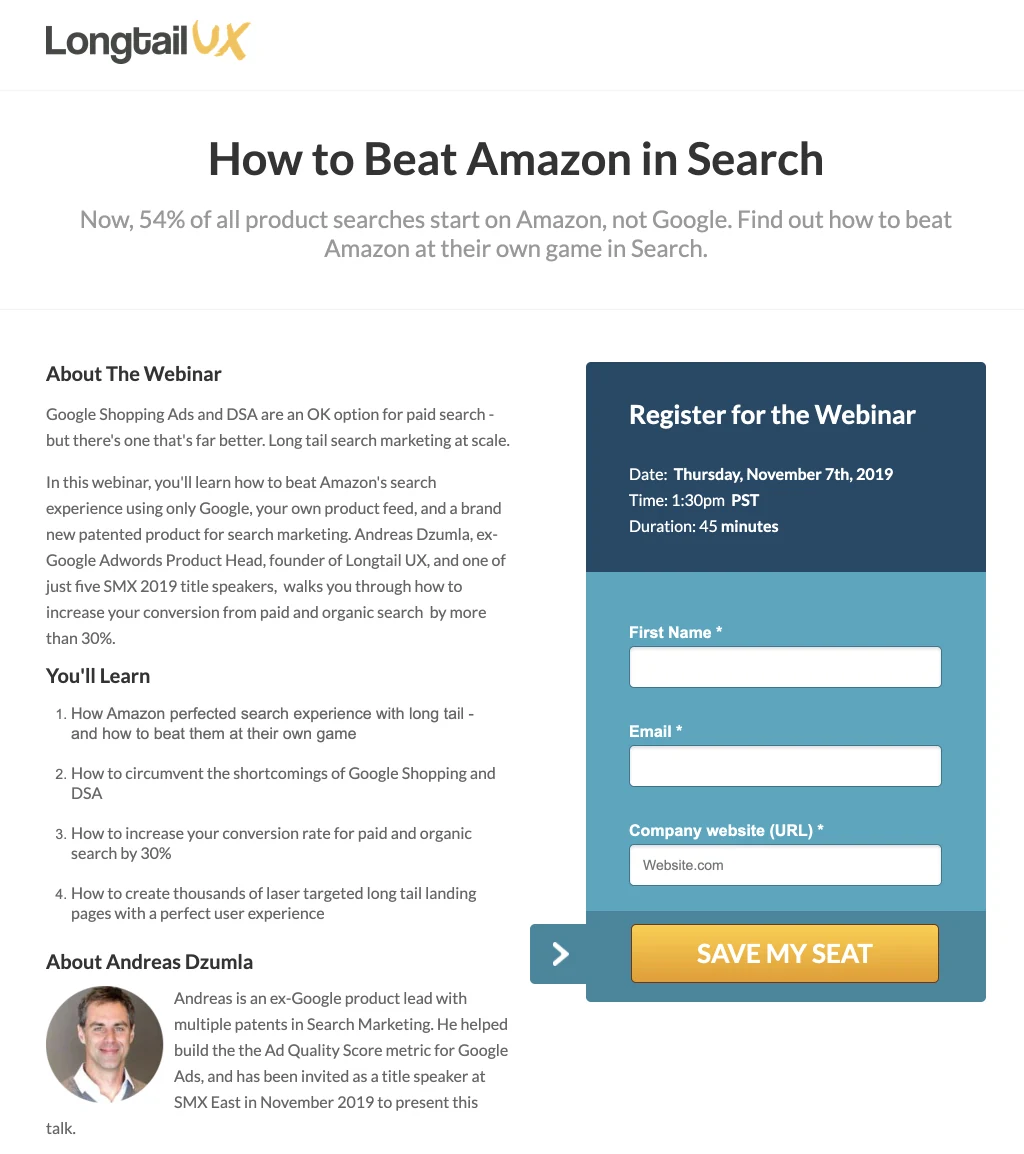
Message match involves coordinating several ad and page elements, especially the headline. Matching headlines reassure people that they are in the right place. Longtail UX uses an ad headlined “How to beat Amazon in search?”

12. Communicate Your Unique Selling Proposition
The headline is probably the first text visitors read. It must convey your unique selling proposition. What is the greatest benefit someone gains from your offer? Explain it in the headline and supporting text.
13. Create Curiosity
A little mystery can encourage people to read the rest. Curiosity-driven content keeps visitors engaged until the answer emerges. Reveal part of the USP in the headline to prompt clicks and scrolling for more information.
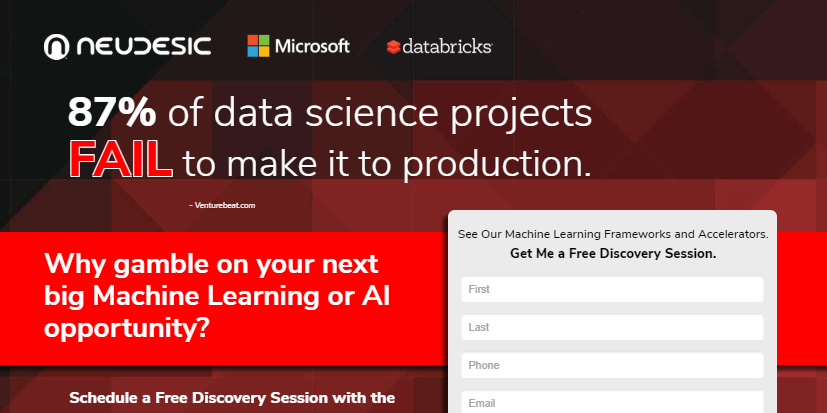
14. Present Statistics
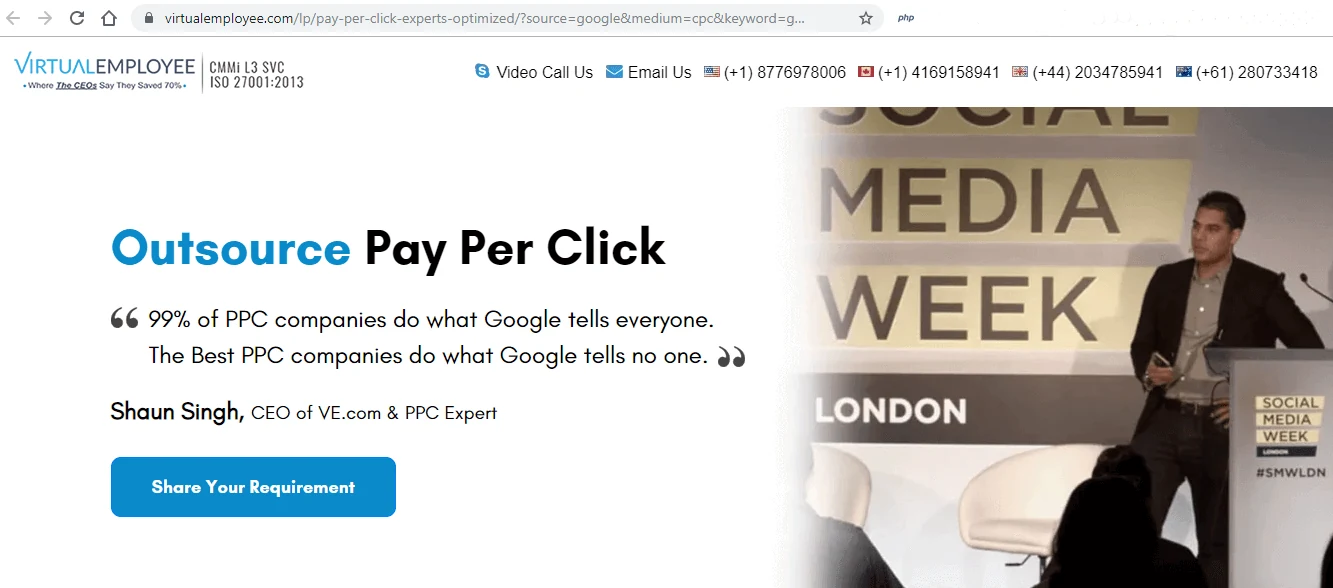
Statistics are persuasive. In the right place, such as a headline, they show why an offer is worth claiming. One Google Ads provider says: “99% of PPC companies do what Google tells everyone. The best PPC companies do what Google tells nobody.” It is an effective differentiation.
15. Ask a Question
A successful headline attracts attention. Questions work because they naturally invite an answer and encourage reflection instead of ordering people to buy, read or download.
Instead of “Get the guide to doubling your app downloads”, try “How can you double your app downloads?”
16. Do Not Add Media Merely for Appearance
You may feel a page needs media because people say so or competitors use it. Although media breaks up text and improves visual appeal, it should not be arbitrary. Make sure it adds value. Well-used media helps, but every image or video costs loading speed. Ensure it is worthwhile.
17. Create Infographics for Compelling Content
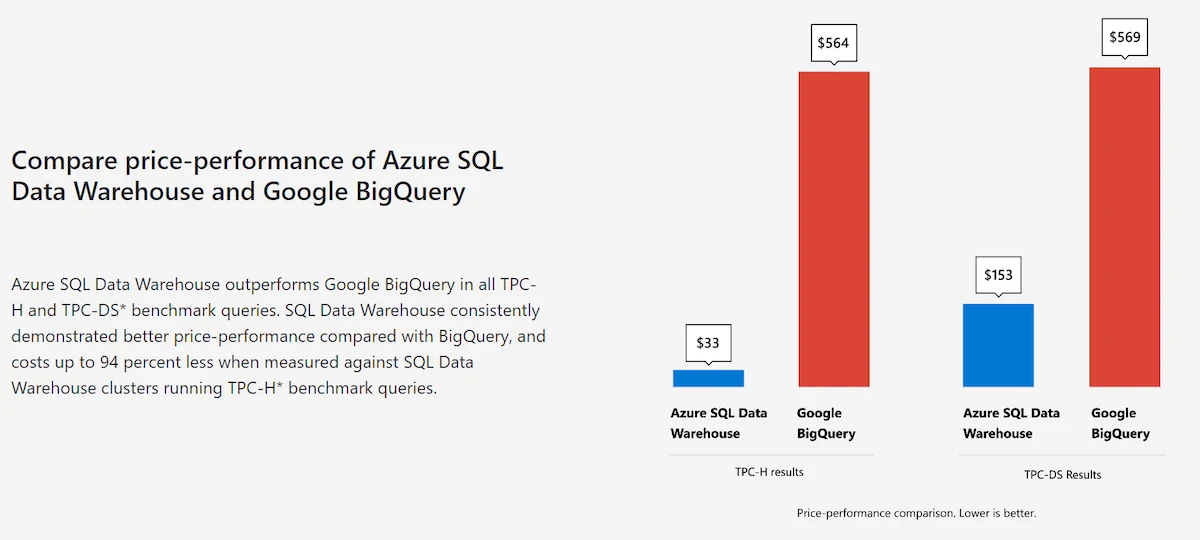
Infographics are useful for presenting numbers visually. If your average return on ad spend is five times higher than a leading competitor's, show it rather than merely stating it. An infographic can communicate that difference clearly:
18. Make Text Large Enough
Content must be legible. As 16 pixels is the size we are accustomed to when reading books, smaller text is not recommended.
19. Design Forms Around User Experience
Asking for excessive information can frustrate landing page visitors. The right amount depends on the offer, but consider different ways to collect details. People want quick clicks and smooth progress.
If the campaign needs more information, a step-by-step form may work better. Multi-step forms can improve conversions when substantial information is required.
20. Explain Form Errors
People sometimes miss a step. When they make an error, they need to understand why and how to fix it. Error messages should be descriptive and specific to the relevant field.
21. Include Reviews
Reviews about your service are engaging. People need to hear from those with experience and often decide based on their opinions rather than the service description. Reviews can therefore be a major conversion driver.
22. Add a Case Study
Focus on the outcome the product or service produces rather than a single feature. Highlight the case study and its results instead of making the customer the sole focus. It can also be presented as video.



Comments